


Out of Chaos an organizing newsletter
Computers
While I am no computer expert, I know they don’t call it a desktop for nothing, and desktops I know about.
The same basic principals apply to your computer as apply to your desk. If you have fifty documents crowding your virtual desktop, it is just as if you had fifty pieces of paper scattered over your desk. As you would with a pile of papers, you should start by looking at each document and seeing what can be pitched, or in this case, deleted. To keep things under control, create folders, and put like with like. You may want to create files that correspond to your paper files. Some common categories are: Business Correspondence, Household and Medical. Don’t forget: you can put folders within folders as well as documents. For example, Household might contain a document called: Grocery List that you use all the time, it also might have a folder called Entertaining where you keep track of past party menus and guest lists. In my Household folder I have a sub-folder called Xmas, where I keep an Excel document for each year, listing what I bought and what I spent for each person. By simply applying the principles you use on your paper files, you can keep your computer desktop orderly and efficient.
As computers become more advanced, sometimes we need some professional assistance. Here are some suggestions:
Computer Guys: 212-414-0321 Efficient & reasonable rates, my Dad used them and recommends them.
Rick Sanford: 212-486-4513; dennyrex@earthlink .net “very patient, flexible, wide range of experience”
Overcrowding
While it is easier to ignore computer overcrowding than overflowing file cabinets, the effects can be similar. An overcrowded hard-drive can slow your computer down and put you at risk of losing things. For this reason it is a good idea to take some of the same steps for your computer files that your would for your paper files. The more vigilant you are about keeping your computer documents in order and storing archievable materials on discs, the easier it will be when it comes time to upgrade to that new computer.
Just as you go through you files at tax time, take a few hours each year to cruise through your computer files. Are there documents that can be deleted– letters that have been answered and items that have been taken care of? A bookkeeping system, like Quicken (see below) will prompt you when it is time to start the New Year. Store things that you want to keep for legal or tax purposes, but that are no longer current by copying onto compact discs, diskettes or zip-discs.
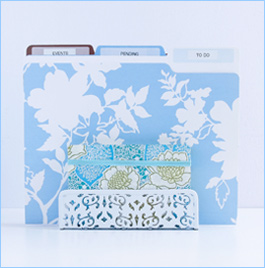
Though in theory I am opposed to big-box stores, I confess I have a weakness for TARGET, so I was very excited when one opened up recently in the Bronx. (Of course the Bronx happens to be walking distance from my house!) It isn’t only that TARGET amazingly cheap, it’s that the design is so great. They have fab looking, very practical desktop organizers, some designed by Michael Graves, and all kinds of storage. Riverdale TARGET: 40 West 225th Street, west of B’way. Take the 1/9 subway to 231st Street
Storage
Once you have decided what you need to keep on your computer and what you can store on disc, you can think about how to store the CDs/diskettes/zip discs. For example, if you are storing financial records for 2004, you might want to just put the disc into the file with your paper tax materials for 2004. There are several options for CD or diskette storage. You can buy a storage box at a stationary store, or if you use CDs you can find good looking storage designed for music CDs in stores like Pottery Barn, Ikea, or Target. This isn’t necessarily the best use of space, since you end up keeping the cases, but it may be more attractive. If you choose a unit you can mount, it can make use of wasted wall space. Some diskettes are sold in clear plastic boxes, which I actually prefer over boxes designed to store diskettes because they have flat sides and stack neatly on a shelf. You can also buy plastic loose-leaf sheets that fit in a binder and have pockets to fit either CDs or diskettes. (TIP: you can also keep instructions in the same binder, so that you have everything together.) One advantage is that if you have both discs and diskettes to store, you can buy both kinds of sheets and put them in the same binder. This seems to be easier to store for a lot of people, and you can even buy binders with pull out tabs that will hang in your file cabinet. If you want to store software this way, remember to save any important information before you throw out your jewel cases.
Quicken
Quicken, like Quick Books, is a bookkeeping program that allows you to write checks and keep track of your financial data on your computer. It can save a lot of information and give you detailed year-end summaries and breakdowns. Some of my clients swear by Quicken, and others feel guilty because they have it but don’t use it. These programs can be very useful– by doing in minutes would take hours to do manually– but they are reliant upon your vigilanceand consistency in inputting data. If these are not your strong points, you may be better off without, since you will end up having to go back and check everything manually anyway. It also depends on whether you tend to write a lot of checks when you are out, and how much time you spend at your computer. If you rarely write checks while shopping, and you spend a fair amount of time at your computer, then it may work for you. It is important to spend some time to set it up well, preferably at the beginning of the year, that way you have a fresh start and will not have to input a lot of old data.